


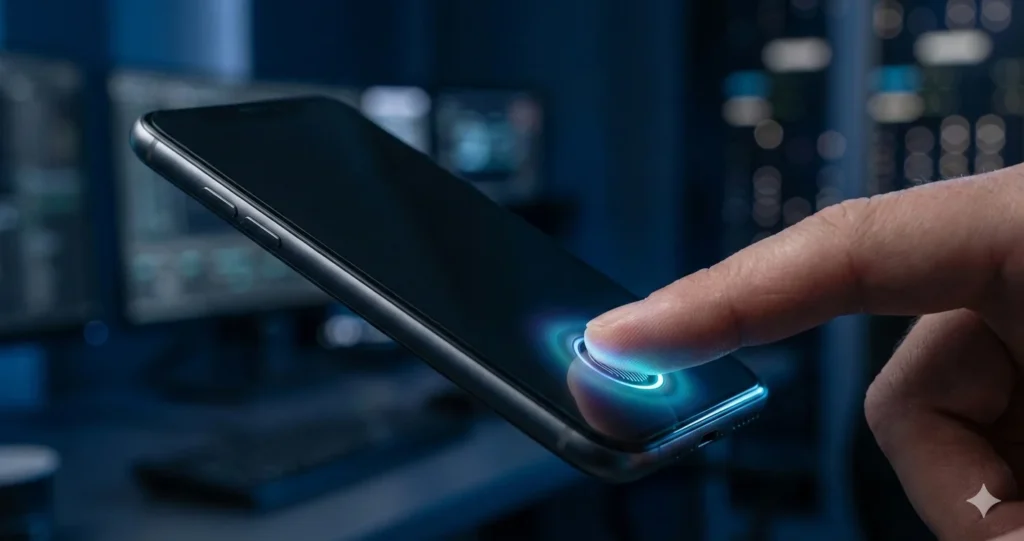
Password-based breaches drained organizations of over $4.5 billion in 2024 alone. Passwords are old technology that should be in a museum next to floppy drives and dial-up internet.
This is the truth: The FIDO Alliance didn’t only suggest a new standard; they took over the whole industry. Google, Apple, and Microsoft have all promised to support passkeys in all of their products. This isn’t a grassroots movement; it’s a calculated deprecation of the password.
But this shift isn’t purely about hardening your attack surface. Moving to cryptographic tokens means your IT helpdesk stops drowning in password reset tickets. It means eliminating the weekly “I forgot my password” ritual that costs enterprises an average of $70 per incident.
[Featured Snippet: What Are Passkeys?]
Passkeys are a password less authentication standard based on FIDO2/WebAuthn protocols. Passkeys use public-key cryptography, while passwords are shared secrets saved on a server. A private key remains securely on the user’s device, while a public key is registered with the service, making them phishing-resistant by design.
Passkeys vs Passwords: Why the Paradigm is Shifting
The fundamental architectural difference between passkeys and passwords isn’t incremental it’s categorical. We’re replacing a shared-secret model with asymmetric cryptography, which changes the entire threat landscape.
The End of “Shared Secrets” (Phishing Resistance)
Passkeys eliminate phishing because there’s nothing to steal in transit. When you authenticate, your device performs a cryptographic handshake with the server. The private key signs a challenge that includes the exact domain you’re visiting think of it as a wax seal that can only be created by the legitimate owner and only applies to a specific recipient.
Here’s why this matters:
- Domain-bound signatures ensure that even a pixel-perfect fake login page fails instantly. The cryptographic signature won’t match the attacker’s domain.
- No credentials cross the wire unlike passwords traveling over HTTPS, the private key never leaves your device’s secure enclave.
- Zero-knowledge proof architecture means the server never learns your authentication secret, only that you possess it.
A hacker can replicate your login page down to the favicon, but they can’t fake the cryptographic binding to the legitimate domain.
Killing the “123456” Problem
The Passkeys vs Passwords distinction gets brutal when we examine credential reuse. With passwords, users recycle “Summer2025!” across twenty different services. One breach at a random forum suddenly compromises their corporate email, banking, and cloud storage.
Passkeys make this impossible through protocol enforcement:
- Unique key pairs per origin FIDO2 automatically generates a completely different cryptographic key pair for every service you register with.
- No database to dump attackers who breach a service get a list of public keys, which are mathematically useless without their corresponding private keys.
- Credential stuffing becomes extinct those massive password combo lists circulating on dark web forums become worthless.
The death of credential stuffing attacks alone justifies the migration.
UX as a Security Feature (Reducing User Friction)
Security professionals distrust anything that makes access easier, but passkeys break that rule. They increase security while simultaneously reducing friction a combination rarer than a penetration test with zero findings.
Consider the comparison:
- Password flow: Navigate → Remember variation → Type 16 characters → Solve CAPTCHA → Wait for SMS → Type 6 digits → Access granted.
- Passkey flow: Navigate → Touch fingerprint → Access granted.
When security is painful, users find workarounds sticky notes, password reuse, or clicking “Stay logged in” on shared computers. For guidance on implementing this user-friendly approach, check the official FIDO Alliance passkey standards for deployment best practices.
The Role of Biometrics in Modern Access
Biometrics represent the hardware layer that makes passkeys practical for end users. Without them, we’d still be managing cryptographic keys manually.
What is Biometric Authentication?
Biometric authentication verifies who you are based on immutable physical characteristics, not what you know or possess. Your face map or fingerprint template never leaves the device’s secure enclave. The biometric sensor doesn’t send your facial structure to Apple it simply unlocks the private key stored in the Trusted Platform Module (TPM). The server you’re authenticating to never sees any biometric data.
Breaking Down Biometric Authentication Methods
Understanding what is biometric authentication requires examining the hardware mechanisms that make it reliable.
Facial Recognition (3D Mapping vs. 2D Imagery)
The security gap between 3D and 2D facial recognition is massive:
- 3D IR mapping (Secure): Projects 30,000 infrared dots, measures distortion, requires liveliness detection, resistant to photos and masks.
- 2D camera scanning (Insecure): Analyzes a flat image, easily defeated by high-res photos, lacks depth perception.
For enterprise environments, mandate 3D facial recognition or disable the feature entirely.
Fingerprint Scanners (Capacitive vs. Ultrasonic)
Modern enterprise laptops ship with either capacitive or ultrasonic fingerprint sensors:
- Capacitive sensors: Use electrical current to map fingerprint ridges, proven track record, struggles with wet fingers.
- Ultrasonic sensors: Send ultrasonic pulses that penetrate outer skin, works through moisture, more expensive, becoming standard.
Both store templates in hardware-isolated secure storage.
Behavioral Biometrics
This is the frontier we’re watching closely. Behavioral biometrics analyze typing cadence, mouse movement patterns, and touchscreen swipes:
- Typing dynamics: Measures rhythm and pressure of keystrokes, operates passively in the background.
- Mouse movement analysis: Tracks acceleration curves and navigation habits, flags anomalies in real-time.
The weakness? High false positive rates during learning periods.
Security Analysis: Are Passkeys More Secure Than 2FA?
Yes, passkeys are more secure than traditional 2FA methods, and it’s not particularly close. To understand why, we need to dissect where legacy two-factor authentication fails.
The Failure of SMS and OTPs
SMS-based 2FA was a band-aid on a bullet wound. The SS7 protocol has vulnerabilities dating back to the 1970s:
- SIM swapping attacks: Attackers convince carriers to port your number using scraped personal data.
- SS7 protocol exploitation: Sophisticated criminals intercept SMS messages mid-transit without touching your phone.
- Time-window vulnerability: That 6-digit code has a 30-90 second validity window plenty of time for automated phishing kits.
NIST deprecated SMS-based authentication years ago, yet organizations still treat it as “secure enough.”
Man-in-the-Middle (MitM) Resistance
Here’s the direct answer to Are passkeys more secure than 2FA: Passkeys are cryptographically immune to man-in-the-middle attacks that defeat even TOTP-based 2FA.
Tools like Evilginx2 can proxy authentication in real-time:
- Attack flow: Victim visits phishing site → Proxy forwards to real site → User enters password + TOTP → Proxy captures both → Attacker gains session.
- Why TOTP fails: Time-based codes are just 6-digit numbers once phished, they’re valid for the remaining window.
- Why passkeys win: The cryptographic signature is bound to the exact domain and won’t validate against the phishing site.
Device-Bound Security vs. Cloud Sync
The passkey ecosystem has a philosophical split between security purists and usability advocates:
Hardware security keys (YubiKey):
- Maximum security: Private keys physically cannot leave the token, no cloud provider in the trust chain.
- Maximum inconvenience: Lose the key and you’re locked out without fallback mechanisms.
Synced passkeys (iCloud Keychain, Google):
- User acceptance: Automatic sync across devices, seamless recovery when upgrading phones.
- Expanded attack surface: The encrypted vault becomes a target compromise the cloud account and you potentially access synced passkeys.
For administrative access, mandate hardware keys. For general workforce, synced passkeys offer realistic adoption. Google’s passkey implementation guide provides extensive documentation on managing these trade-offs.
Addressing the Risks: Passkey Security Vulnerabilities
Passkeys aren’t a panacea they shift the threat model rather than eliminating risk entirely.
The “Lost Device” Nightmare (Recovery Challenges)
When the authentication credential lives on a physical device, losing it becomes an account lockout event. This passkey security vulnerabilities discussion keeps conservative IT departments from deployment.
The recovery problem is real:
- No fallback password: By design, there’s no password to reset.
- Backup passkeys required: Users must register multiple authenticators during onboarding.
- Account recovery friction: Without backups, you need identity verification processes involving support tickets and photo ID scans.
Mitigation: Enforce multi-device enrollment during initial setup.
The “$5 Wrench Attack” (Physical Coercion)
Biometrics have a coercion vulnerability that passwords theoretically don’t:
- Passwords can be withheld: Under duress, you can claim to have forgotten a password.
- Biometrics are immutable: Holding a phone to someone’s face requires only physical access, no cooperation needed.
Countermeasures exist:
- Lockdown modes: Emergency modes that disable biometric unlock (press power button 5 times on iPhone).
- Timeout policies: Biometrics should require PIN after extended periods.
Cross-Ecosystem Friction
Passkey security vulnerabilities often emerge from implementation gaps across ecosystems:
- Platform lock-in: iPhone user’s iCloud-synced passkeys don’t automatically work on Windows without additional apps.
- Shared accounts: Passkeys make account sharing architecturally awkward by design.
- Legacy application support: Ancient VPN clients or internal tools don’t support WebAuthn and probably never will.
You’ll run passwords and passkeys in parallel for 2-3 years minimum.
Network Implementation Guide for IT Admins
Moving enterprise authentication to passkeys requires careful planning and phased migration.
Understanding FIDO2 and WebAuthn Standards
FIDO2 consists of two components:
- WebAuthn: The browser API that websites use to request authentication.
- CTAP2: The communication layer between browser and authenticator.
The authentication flow involves three parties:
- The Client: User’s browser requesting access.
- The Authenticator: Device proving identity (phone, laptop, hardware key).
- The Relying Party: Your server validating authentication and granting access.
Enterprise Deployment Strategy
Successful rollout follows structured phases:
Step 1: Audit Current Identity Infrastructure
- Verify IdP support: Check whether Okta, Azure Entra ID has passkey/WebAuthn support enabled.
- Catalog applications: List every system requiring authentication SaaS tools, internal apps, VPN.
- Identify gaps: Flag legacy systems lacking WebAuthn support.
Step 2: Enforce Phishing-Resistant MFA Policies
- Define policy tiers: Executives require hardware keys, general workforce gets synced passkeys.
- Conditional access rules: Require passkey authentication for sensitive resources.
- Monitor compliance: Track authentication method usage through IdP analytics.
Step 3: Handle Legacy Application Dependencies
- Proxy solutions: Deploy reverse proxies adding WebAuthn support to applications that can’t be updated.
- Sunsetting roadmap: Set firm dates for deprecating systems that can’t support modern authentication.
The Bottom Line: Adapt or Get Breached
Passkeys aren’t a trend they’re the architectural inevitable. When the entire industry aligns on a standard, you’re watching coordinated deprecation of the legacy system. Passwords are being systematically eliminated.
The arguments are straightforward:
- Reduced breach costs: Eliminating credential-based attacks removes your most common penetration vector.
- Lower operational overhead: Password resets disappear, helpdesk capacity gets redirected.
- Improved compliance: Phishing-resistant MFA satisfies increasingly stringent regulatory requirements.
The security argument is simpler: Passwords fundamentally cannot be secured against modern attack techniques. The shared-secret model is architecturally flawed.
Ready to kill the password in your organization? Start by documenting your current authentication stack, identifying passkey-ready systems, and building a migration timeline. The technical lift is manageable the cultural change management is the real challenge.
The window for strategic migration is closing. In 24 months, vendors will start removing password support from new products. Better to control the transition timeline than have it forced on you by a vendor roadmap or a catastrophic breach.